Why Your Website Is Killing Your Google Ads Conversions
You’ve got a Google Ads campaign running. Clicks are coming in. Your cost-per-click is reasonable. But the phone isn’t ringing and the contact form isn’t getting filled out.
Most business owners immediately assume the problem is the ads. They tweak the headlines, adjust the bids, swap out keywords — and nothing changes. The real culprit is usually sitting right in front of them: their website.
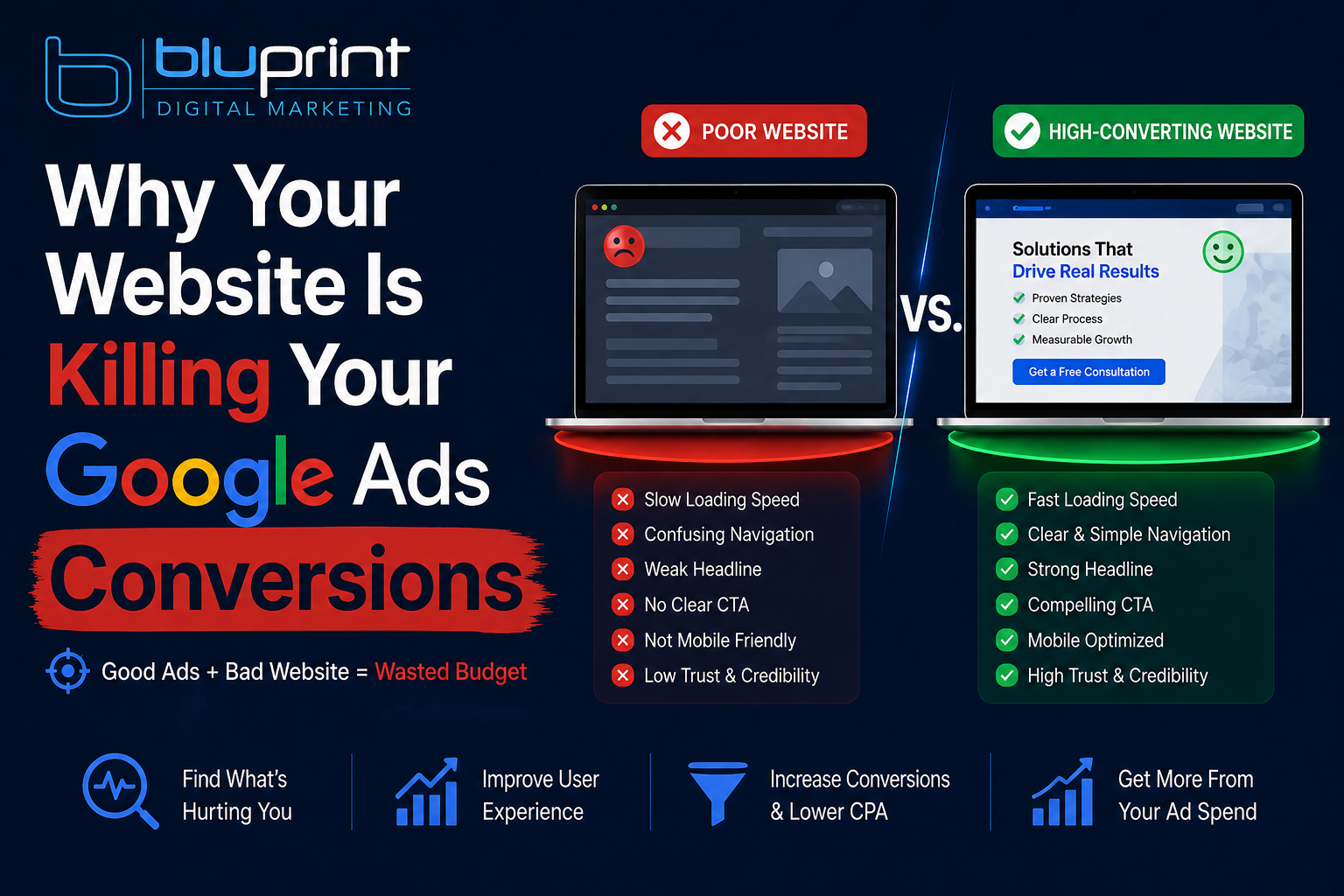
Your Google Ads campaign can only do one job — get someone to click. What happens after the click is entirely up to your website. And if your website isn’t built to convert, you’re essentially paying Google to send warm leads directly to your competition.
Here’s exactly what kills Google Ads conversions on the website side — and how to fix each one.
1. Your Page Loads Too Slowly
This is the single biggest website killer for Google Ads performance, and most business owners have no idea it’s happening.
Here’s the reality: 53% of mobile users abandon a page that takes longer than 3 seconds to load. If your page takes 5, 6, or 7 seconds — and many do — you’re losing more than half your paid traffic before they’ve read a single word.
It gets worse. Google’s algorithm factors page speed into your Quality Score, which directly impacts how much you pay per click. A slow website costs you twice — once in lost conversions, and once in higher ad costs.
How to check it: Go to pagespeed.web.dev and run your landing page URL. Anything below 70 on mobile is a problem. Below 50 is urgent.
How to fix it:
- Compress and resize your images before uploading
- Install a caching plugin (WP Rocket is excellent for WordPress sites)
- Use a CDN like Cloudflare to serve your content faster
- Ask your host about upgrading to a faster server environment
2. Your Page Isn’t Mobile-Friendly
More than 60% of Google searches happen on mobile devices. If someone clicks your ad on their phone and lands on a page that’s hard to read, requires zooming in, or has buttons too small to tap — they’re gone.
This is especially critical for local service businesses. When someone searches “hail damage repair near me” or “divorce attorney Colorado Springs” on their phone, they are ready to act right now. If your page doesn’t load cleanly on mobile, you’ve just handed that customer to whoever’s below you in the results.
How to check it: Google’s Mobile-Friendly Test (search “Google mobile-friendly test”) will tell you instantly if your page passes. Also just pull it up on your own phone and ask yourself honestly: would you stay on this page or hit the back button?
How to fix it: Your website should be built on a responsive theme or framework that automatically adjusts for every screen size. If it isn’t, this needs to be addressed before you spend another dollar on ads.
3. Your Phone Number Is Hard to Find
For local service businesses — plumbers, attorneys, auto body shops, contractors — the phone call is the conversion. Everything else is noise.
Yet countless business websites bury the phone number in the footer, or display it in a font so small it gets lost on mobile. Some don’t even have a clickable call link, which means a mobile user has to memorize the number, switch to their phone app, and manually dial it.
Every extra step is a conversion killer.
How to fix it:
- Put your phone number at the top of every page, in large text
- Make it click-to-call on mobile (wrap it in a
tel:link) - Consider a sticky header or floating call button on mobile so it’s always visible as users scroll
- Enable call extensions in Google Ads so people can call directly from the ad without ever visiting your site
4. Your Landing Page Doesn’t Match Your Ad
If your ad says “Emergency Plumber — Available 24/7” and the landing page it sends people to is your general homepage with a slideshow and a list of all your services — you’ve broken the experience.
This disconnect is called a message mismatch and it destroys conversions. When someone clicks an ad, they have a specific expectation based on what they just read. If the page they land on doesn’t immediately confirm that expectation, their brain says “this isn’t what I was looking for” and they leave.
It’s not that your page is bad. It’s that it’s wrong for that specific click.
How to fix it: Build dedicated landing pages for each ad group or service. If you’re running ads for roof replacement, send that traffic to a page specifically about roof replacement — not your homepage. The headline, image, and copy on the landing page should directly mirror the promise made in the ad.
5. There’s No Clear Call to Action
What do you want visitors to do when they land on your page? Call you? Fill out a form? Book an appointment? Request a quote?
If the answer isn’t immediately obvious within the first few seconds, most people won’t do anything. They’ll scroll around, maybe read a little, and then leave without ever taking action.
A clear, prominent call to action (CTA) is the difference between a page that generates leads and one that generates traffic stats.
How to fix it:
- Have one primary CTA per page — not five competing options
- Make it visually stand out (contrasting button color, large text)
- Use action-oriented language: “Get My Free Quote,” “Call Now,” “Schedule a Free Consultation” — not “Submit” or “Click Here”
- Place it above the fold (visible without scrolling) AND repeat it at the bottom of the page
6. Your Page Doesn’t Build Trust
For many service businesses, customers are handing over significant money, letting strangers into their home, or sharing sensitive information. They need to trust you before they’ll reach out.
If your landing page is thin on credibility signals — no reviews, no photos of real work, no certifications, no guarantee — visitors will hesitate even if they like what they’re reading.
Trust signals that convert:
- Google review rating with star count (“⭐ 4.9 — 127 Google Reviews”)
- Real before/after photos or photos of your team
- Any relevant certifications, awards, or affiliations
- A clear service guarantee or promise
- Your physical address (especially for local businesses — it confirms you’re real)
7. Your Form Is Too Long or Too Complicated
If you’re relying on a contact form as your primary conversion path, the length and simplicity of that form matters more than you think.
Every field you add to a form is an opportunity for the user to give up and leave. For most local service businesses, a form that asks for name, phone number, and what they need is all you need to start a conversation. Asking for address, budget range, project timeline, how they heard about you, and three other things before you’ve earned any trust will tank your form submissions.
How to fix it: Trim your form to the absolute minimum needed to follow up. You can gather more details when you call them back. The goal of the form is to get permission to reach out — not to conduct a full intake survey.
The Bottom Line
Google Ads gets people to your door. Your website has to get them to knock.
If your campaigns are generating clicks but not conversions, don’t just keep pouring money into ads hoping the results change. Fix the foundation first. A well-built, fast, mobile-friendly landing page with a clear call to action can double or triple your conversion rate from the same ad spend — without spending an extra dollar with Google.
At Bluprint, we look at the full picture — not just the campaign, but the entire customer journey from click to conversion. If you think your website might be letting your ads down, let’s take a look together. A free consultation takes 20 minutes and often reveals exactly where the leads are being lost.